本书暂未推出简体中文版。现有版本:English。
Primary & Middle School Computer Science · 1–9 年级
6Inside the Computer
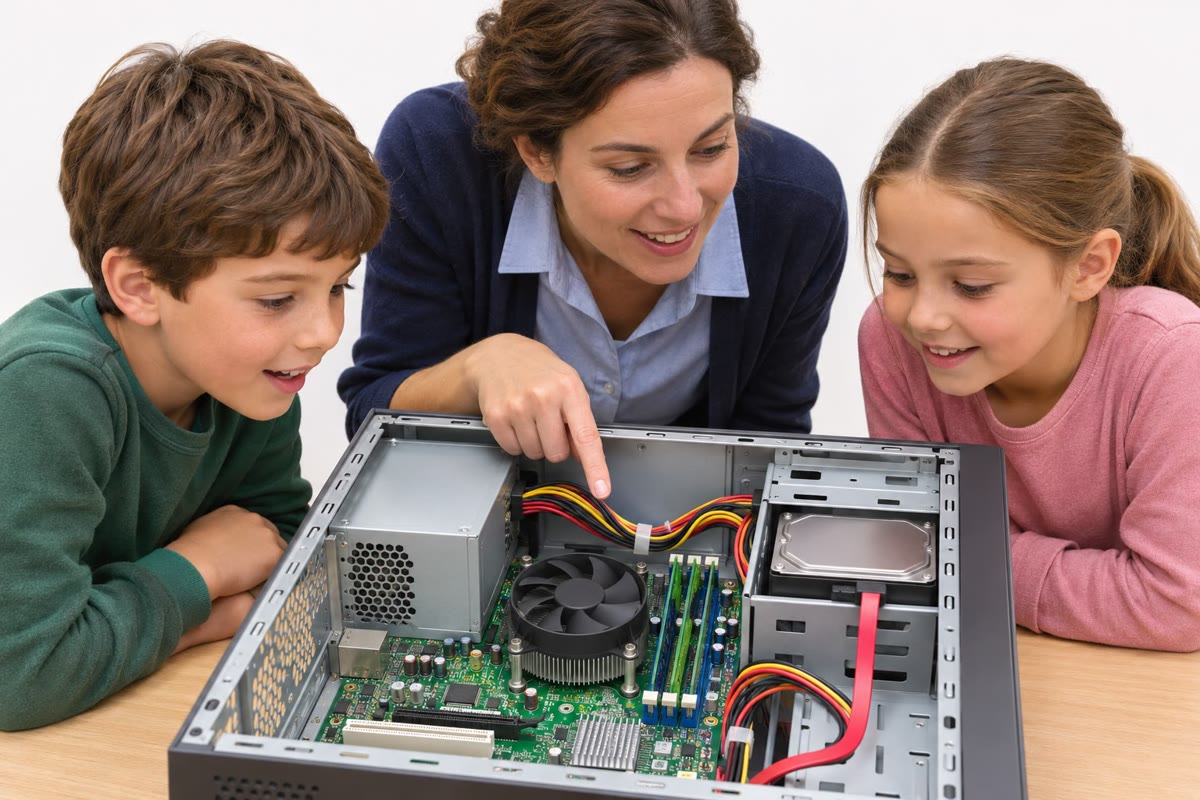
The school has a new computer, so the teacher brings the old one into the classroom, lays it on her desk and unscrews its side. Inside there are wires of many colours, a fan, a big green board covered with tiny parts, and a few small black squares. “Somewhere in here,” she says, “are the parts that follow the instructions, the parts that remember, and the parts that keep your work when the power is off. Let us find them.”
You already know
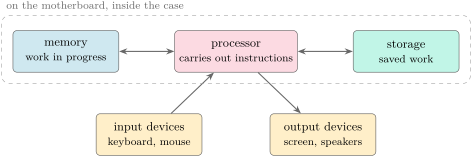
A computer is a machine that follows instructions to work on information. Input devices bring information in; output devices take it out (Chapter 1).
6.1 The processor
Definition 6.1 (Processor)
The processor is the part of a computer that carries out the instructions, one after another, very fast.
The processor is a small, flat square, a few centimetres wide, made of silicon and covered by a metal lid. It carries out billions of instructions every second. All this work makes it hot, so a fan or a block of metal with fins sits on top of it to carry the heat away.
6.2 The memory
To work on a drawing, the processor needs it close at hand. The drawing you are working on, and the instructions of the tool you are using, are kept in the memory while you work.
Definition 6.2 (Memory)
The memory of a computer holds the information the computer is working on right now: the open work and the instructions being carried out. It forgets everything when the power goes off.
The memory is very fast: the processor reads from it and writes into it all the time. But it needs electricity to remember. This is why Sami’s castle (Chapter 4) was lost: it was only in the memory when the computer was switched off.
6.3 The storage
Definition 6.3 (Storage)
The storage of a computer keeps information when the power is off: the saved work and the tools installed on the computer.
When you save a drawing, the computer copies it from the memory into the storage. When you open it the next day, the computer copies it back from the storage into the memory, so that you can go on working. The next year will show what is inside the storage of a computer.
Example 6.4 (Memory or storage?)
Mia is writing a story that she has not saved yet: the story is only in the memory. She saves it: now a copy is also in the storage. The power goes off by accident: the copy in the memory is lost, but the saved copy in the storage is still there. Only the words she typed after saving are lost.
6.4 The motherboard, the power and the heat
Definition 6.5 (Motherboard)
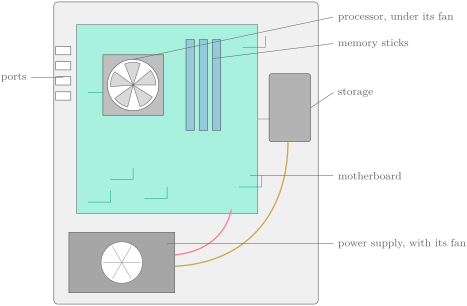
The motherboard is the large board inside a computer to which all the parts are attached. Tiny copper paths on the board carry information and electricity from one part to another.
The processor sits in a socket on the motherboard. The memory is made of thin sticks clipped into long slots. The storage is a box or a small card connected to the motherboard. A desktop computer gets its electricity from a power supply plugged into the wall; a laptop, a tablet or a phone from a battery, which is charged when it is plugged in.
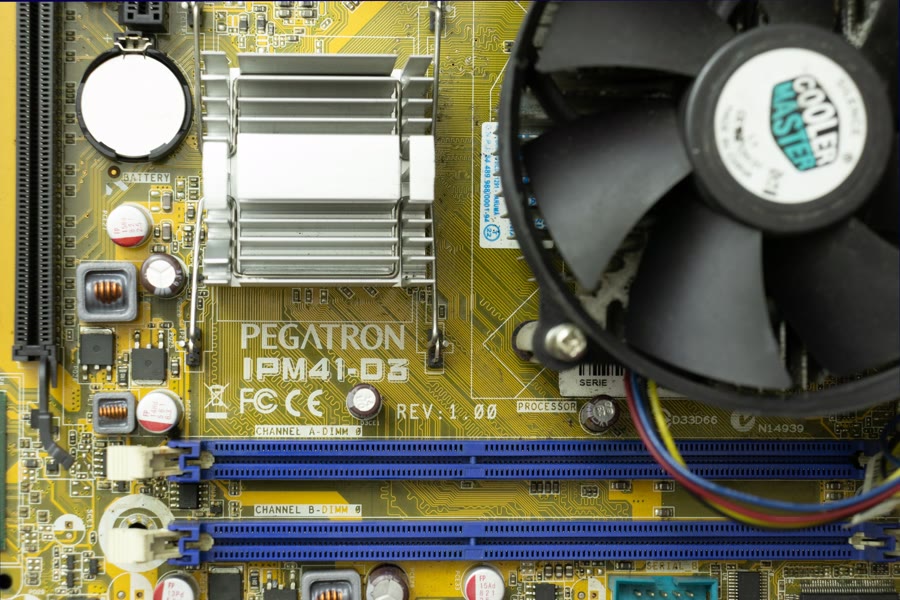
Every part of a working computer turns a little electricity into heat. Fans blow cool air in through holes in the case, the vents, and push warm air out. If the vents are covered, by a blanket or a cushion under a laptop, the heat cannot get out: the computer becomes very hot and slows down to protect itself.
Safe use
Never cover the vents of a computer: keep a laptop on a table, not on a bed or a cushion. Never open the case of a computer that is plugged in, and never open the power supply or a battery.
6.5 Ports and devices
Definition 6.6 (Device)
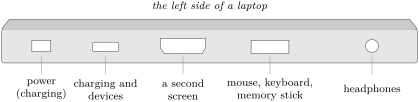
A device is a part that is connected to a computer from the outside: a mouse, a keyboard, a screen, a printer, headphones, a camera, a memory stick. It is plugged into a socket of the computer, called a port, or connected by radio, without a cable.
Each port has a shape, so that only the right plug fits into it. Some ports carry information in, some carry it out, and many carry both. A wireless mouse or wireless headphones use radio instead of a cable, but they are devices all the same. Some ports also carry electricity: the cable that charges a phone is plugged into a port.
Remark 6.7 (A computer on one chip)
The computer inside a washing machine or a toy has a processor, a memory and a storage too, but so small that all three fit together on one tiny chip.
6.6 Exercises
Exercise 6.1 ★
Which part of a computer carries out the instructions?
Exercise 6.2 ★
Lina saved her drawing yesterday. In which part of the computer is it kept overnight?
Exercise 6.3 ★
The power goes off in the middle of Tom’s work, which he has not saved. What is lost, and why?
Solution
Solution of Exercise 6.3.
Everything he did since he last saved: it was only in the memory, which forgets when the power goes off.
Exercise 6.4 ★
In the drawing of the inside of a desktop computer, name the parts that are attached to the motherboard.
Solution
Solution of Exercise 6.4.
The processor (under its fan), the memory sticks, the storage, and, through cables, the power supply; the ports at the back are part of the motherboard too.
Exercise 6.5 ★
Why must the vents of a laptop never be covered?
Solution
Solution of Exercise 6.5.
The fans push warm air out through the vents. If they are covered, the heat stays inside: the laptop becomes very hot and slows down.
Exercise 6.6 ★
These devices are plugged into ports: a printer, a microphone, a second screen, headphones with a microphone, a keyboard, a camera. Does each one bring information in, take it out, or both?
Solution
Solution of Exercise 6.6.
Printer: out. Microphone: in. Second screen: out. Headphones with a microphone: both. Keyboard: in. Camera: in.
Exercise 6.7 ★
Follow the arrows of the drawing of the parts of a computer: Mia presses a key and the letter appears on the screen. Through which parts does the information go?
Solution
Solution of Exercise 6.7.
From the keyboard (an input device) to the processor, which works with the memory, then from the processor to the screen (an output device).
Exercise 6.8 ★★
Memory or storage? (a) The game you are playing right now. (b) Your photos from last summer. (c) A song you saved last week. (d) The page you are typing, not yet saved. (e) The tools installed on the computer, while it is switched off.
Exercise 6.9 ★★
A tablet has no fan. Where does the heat of its processor go?
Solution
Solution of Exercise 6.9.
Through its case: the back of the tablet carries the heat out into the air, which is why a tablet can feel warm in the hands. Its processor is made to produce little heat.
Exercise 6.10 ★★
A laptop has a battery and a desktop computer does not. Which part of the desktop computer does the battery replace? Why does a laptop need one?
Solution
Solution of Exercise 6.10.
The battery replaces the power supply plugged into the wall: it gives the electricity. A laptop needs one so that it can be carried and used away from a plug.